Synos Cloud Gaming vs Installed Games: Pros and Cons
Cloud gaming and installed gaming deliver the same games in opposite ways. An installed game lives on your phone and runs on its processor, while a streamed game runs on a remote server and reaches you as live video. Each model trades something the other keeps, and the right choice depends on your device, network, and habits.
This comparison avoids declaring a universal winner, because there is not one. Many players end up using both: Synos Cloud Gaming APK download for large titles and quick trials, and local installs for travel and offline favourites. Understanding the trade-offs below helps you assign each game to the model that serves it best.
Storage and Getting Started
Installed games consume the scarcest resource on most phones: space. A single large title with its updates can claim a noticeable share of a modest handset, and trying something new often means deleting something old. Updates also arrive as heavy downloads before you can play.
Cloud gaming removes nearly all of that. You open the app, pick a title, and play without a long install or a storage negotiation. Trials become effortless, which changes behaviour: players sample more, forgive a slow first chapter, and find favourites they would never have downloaded on speculation.
Performance and Picture Quality
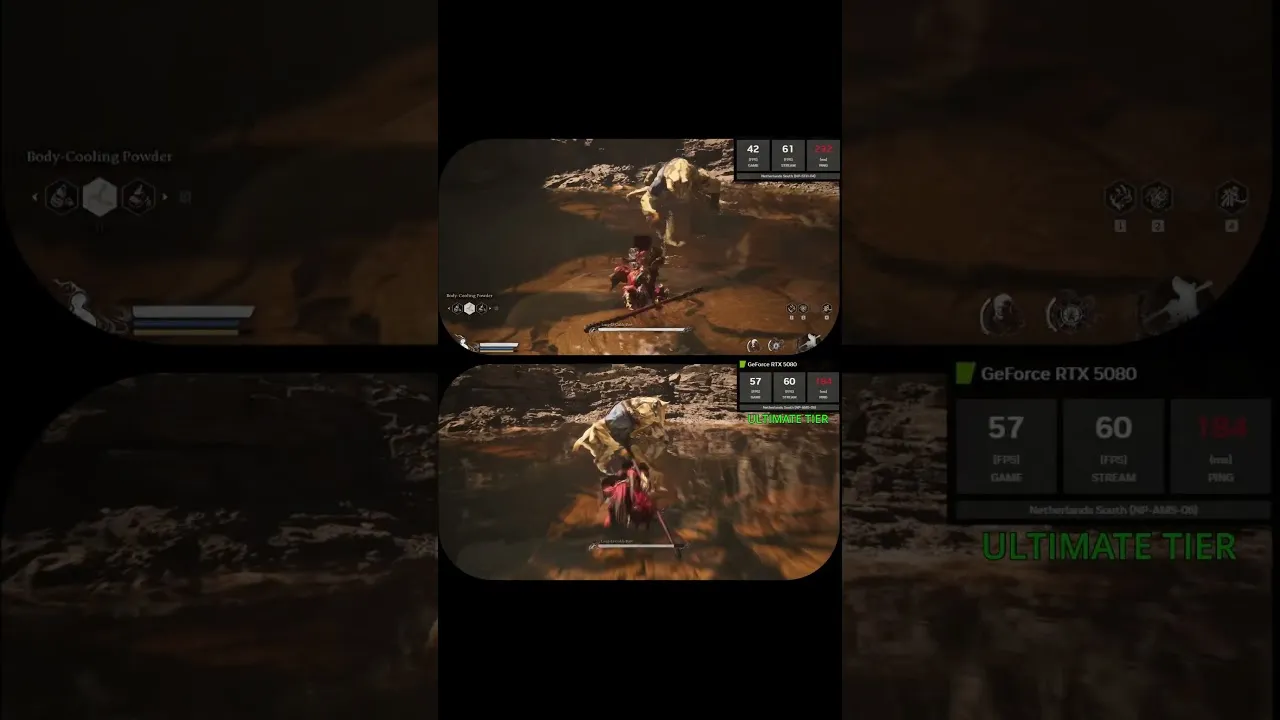
An installed game is limited by your phone's chip and cooling. Flagships shine; budget phones compromise with lower detail or uneven frame rates. A streamed game's performance is set by the server, so modest phones can display scenes far beyond their local ability, as long as the network delivers them cleanly.
The stream's weakness is variability. Local play looks the same on a train as on your sofa, while a cloud picture depends on the connection at that moment. Picture quality in cloud gaming is therefore best described as high but conditional, and the best ways to use Synos Cloud Gaming show how to keep conditions in your favour.
Connection, Data, and Offline Play
Here the installed model wins clearly. A downloaded game works in a tunnel, on a plane, or in a cottage with no signal, and it uses no data while you play. Cloud gaming needs a live connection throughout and consumes data like a video stream, which matters on capped plans and long journeys.
Responsiveness also tilts local for the most demanding players. A streamed input makes a round trip across the network, adding a small delay that most genres hide well but competitive play can expose. For story, racing, strategy, and casual action, the difference is minor; for ranked precision play, installed games keep an edge.
Progress, Devices, and Ownership Habits
Cloud progress follows your account across phone, tablet, and TV, as explained in how saves and progress work in Synos Cloud Gaming. Installed progress often lives on one device unless the game adds its own account system, so a phone upgrade can become a migration project.
Costs differ in shape rather than size. Installed gaming concentrates spending in the handset and individual purchases. Cloud gaming shifts weight toward the connection and the service, and rewards households that already pay for good broadband. Neither is automatically cheaper; your existing phone and plan decide which side of the ledger you already fund.
Which Should You Choose
Choose cloud first if your phone is modest or full, if you like trying many games, and if most of your play happens at home on solid Wi-Fi. Choose installed first if you travel constantly, play competitively, or live with unreliable internet. Choose both if, like most players, your week contains sofas and trains in equal measure.
The sensible test is experiential: stream a favourite genre for a week and note where it delights and where it annoys. Personal evidence beats any comparison table, including this one.
Your library will probably end up split in a pattern that reflects your life. Games tied to home, the big screen, and long evenings drift toward the cloud, while games tied to travel, short breaks, and shaky connections stay installed. That is not indecision; it is each title sitting where it performs best. Many players also stream a game first to test it, then install the keepers for offline security once they know a title has earned the storage.
Revisit the split once or twice a year, because both sides move. Phones gain storage, networks improve, and services expand, so a game that had to be installed two years ago may stream beautifully now, while a new competitive habit may pull one title back to local play. Treat the choice as a shelving decision rather than a loyalty test, and your library stays organised around how you actually play.
Environmental cost rarely enters this debate, but it is real at the margins. Streaming moves energy use from millions of small batteries to efficient shared servers while adding network traffic; installing concentrates it in manufacturing and charging a powerful handset. Neither side can claim a clean win, and for most households the honest deciding factors remain the practical ones above: space, signal, travel, and taste in games.
Final Thoughts
Synos Cloud Gaming trades the certainty of local play for freedom from storage, hardware limits, and long installs. Installed games trade that freedom for offline certainty and the last word in responsiveness. Knowing what each side gives and takes lets you put every game where it belongs, and enjoy both models without expecting either to be the other.