Synos Cloud Gaming on Budget Phones

Budget phones are where cloud gaming makes the most sense. Because the game itself runs on a remote server, a modest handset does not need a flagship processor or a huge storage chip to play large, demanding titles; it needs a decent screen, a healthy battery, and a connection it can hold.
That does not mean every cheap phone feels identical, or that settings do not matter. Owners of Synos Cloud Gaming for Android on entry-level hardware get the best results by understanding what the phone still has to do, keeping the device tidy, and putting the network ahead of everything else.
Why Cloud Play Suits Modest Hardware
In a normal mobile game, your phone renders every frame, which is why demanding titles stutter on budget chips. In a streamed session, the server renders the game and your phone handles three lighter jobs: receiving video, decoding it, and sending your inputs. Modern budget phones decode video well because they are built for streaming apps.
Storage pressure disappears too. A handset with limited space can hold the app and still access big games that would never fit locally. For many budget-phone owners, that single benefit is the reason to choose cloud play over installs, and it grows more valuable the longer you keep the phone.
What Still Matters on the Phone
The screen is your window, so brightness and size shape enjoyment more than any specification inside. A budget phone with a bright, reasonably large display often feels better for gaming than a smaller premium screen. Sound matters as well; headphones rescue thin speakers instantly and cost very little.
Free space and system health still count. Keep some storage free so Android can breathe, remove apps you never open, and restart the phone now and then. The Synos Cloud Gaming device compatibility guide explains how different device classes compare, which helps set fair expectations for your model.
The Network Matters More Than the Chip
On a budget phone, money spent improving Wi-Fi beats money spent on almost anything else. A well-placed router and a quiet network transform sessions, while no phone upgrade can fix a connection that drops every few minutes. Read the Synos Cloud Gaming internet requirements and test your real speeds in the room where you play.
If your phone only supports the slower Wi-Fi band, positioning becomes even more important: play nearer the router and keep the path clear. Where the signal is hopeless in your favourite room, a modest Wi-Fi extender placed halfway can do more for your gaming than a new handset would.
Settings and Habits for Smooth Sessions
Choose stream quality your connection holds without strain, close background apps before playing, and turn off automatic updates during sessions so nothing competes for the network or the processor. Battery-saver modes can throttle performance, so plug in for long sessions or disable saving while you play.
Heat is the budget phone's quiet enemy. Chips in inexpensive phones often slow down when hot, which turns a smooth first ten minutes into a choppy half hour. Play in a cool room, remove the case if the phone warms up, and avoid charging with a fast charger while gaming if that adds heat on your model.
When It Is Worth Upgrading
Most budget-phone limits have workarounds, but a phone that cannot hold a stable Wi-Fi connection, whose battery fades within an hour, or whose Android version is too old for current apps will frustrate you no matter what you tune. In that case, even a small step up to a newer budget model brings a better screen, better radios, and years of updates.
Until then, be proud of the setup you have. Cloud gaming was designed for exactly this: full-size games on hardware that was never built to run them locally. A tidy phone, a strong signal, and sensible settings get you most of the flagship experience at a fraction of the price.
Second-hand flagship phones deserve a mention for buyers on a budget. A two or three year old premium model often costs the same as a new entry-level phone while offering a brighter screen, faster Wi-Fi, and better speakers. Check the battery health and update support before buying, and it can be the smartest cloud gaming purchase in its price range, since the server supplies the gaming power the ageing chip no longer needs to provide locally.
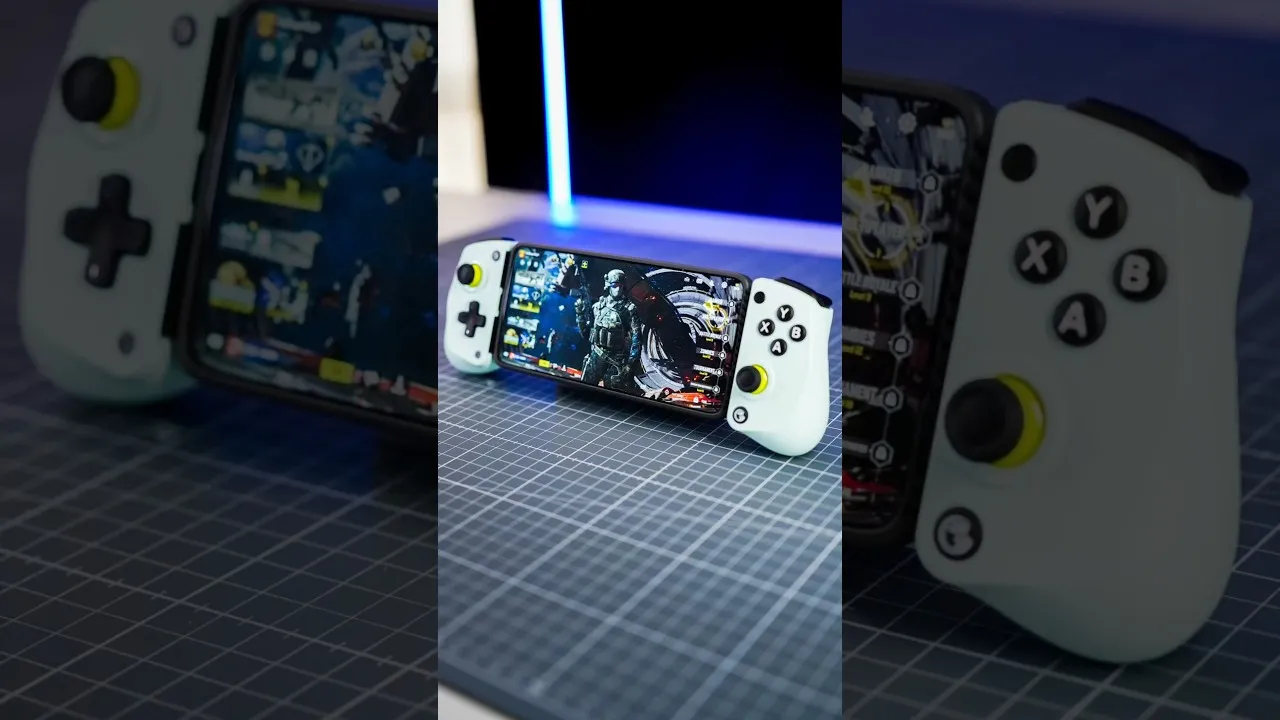
Accessories can close most of the remaining gap for very little money. A basic phone stand, a pair of wired earphones, and an affordable Bluetooth controller together cost less than the difference between phone tiers, yet they fix comfort, sound, and control in one stroke. Spend on those before dreaming of a new handset, and your budget setup will feel deliberate rather than compromised, which is the real goal.
Look after the battery you have, because it is the one component budget phones rarely let you replace cheaply. Avoid leaving the phone plugged in at full charge overnight every night if you can, keep it out of hot cars, and use the charger that came with it for long sessions. A healthy battery holds performance steady, lasts through a film-length gaming session, and keeps a modest phone feeling capable for years.
Final Thoughts
Synos Cloud Gaming on a budget phone works because the heavy lifting happens elsewhere. Keep the device clean and cool, invest your effort in the network, and pick settings the connection can sustain. Do that, and an affordable handset becomes a genuinely capable gaming machine, no flagship required.